
A
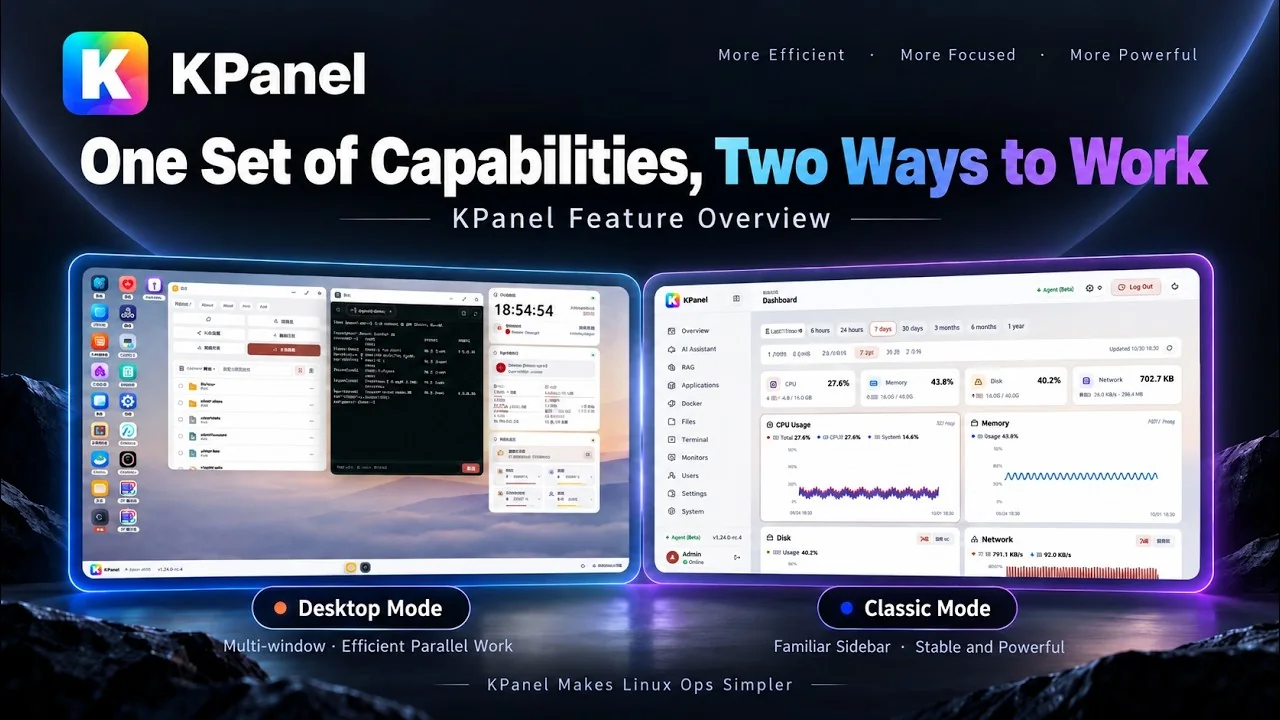
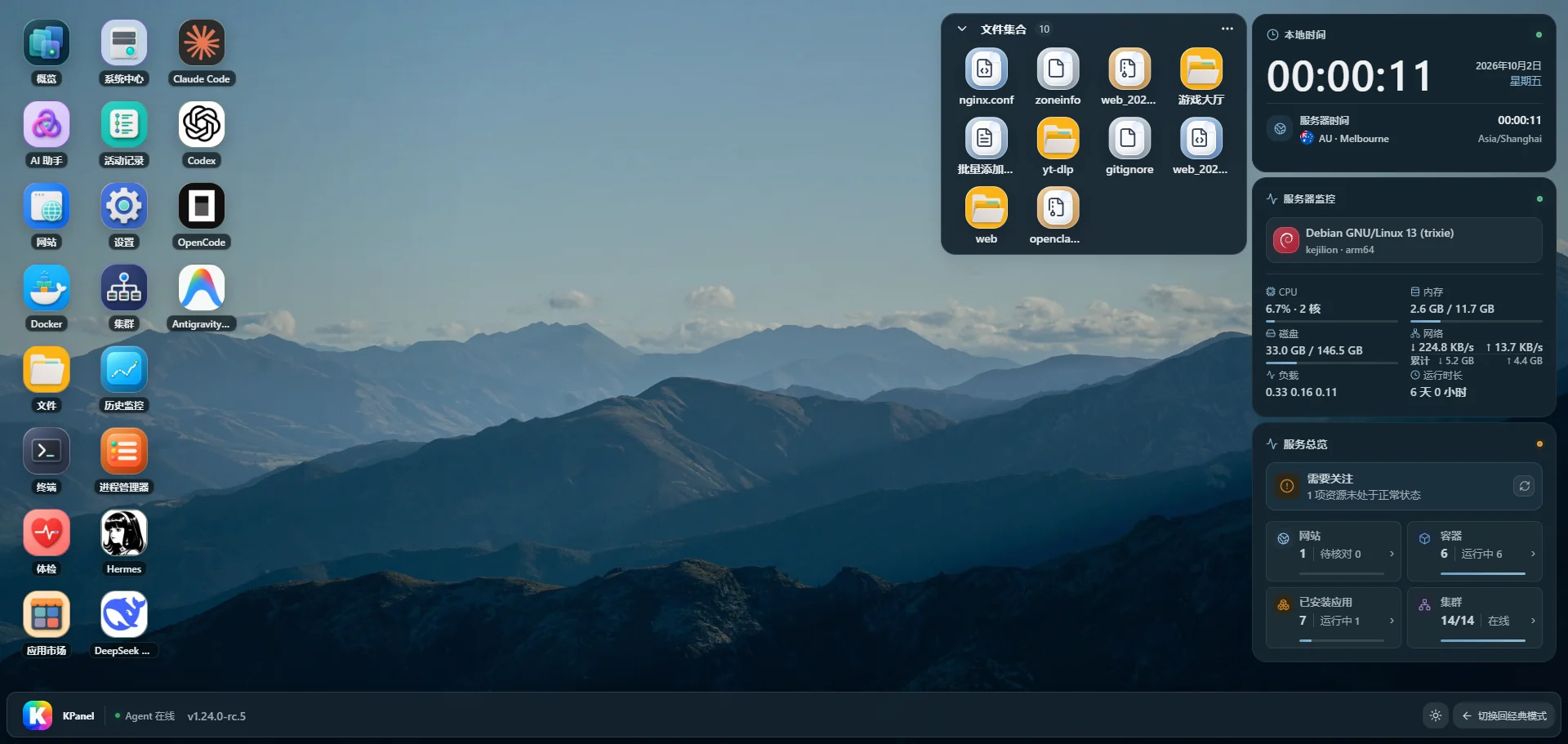
Desktop mode
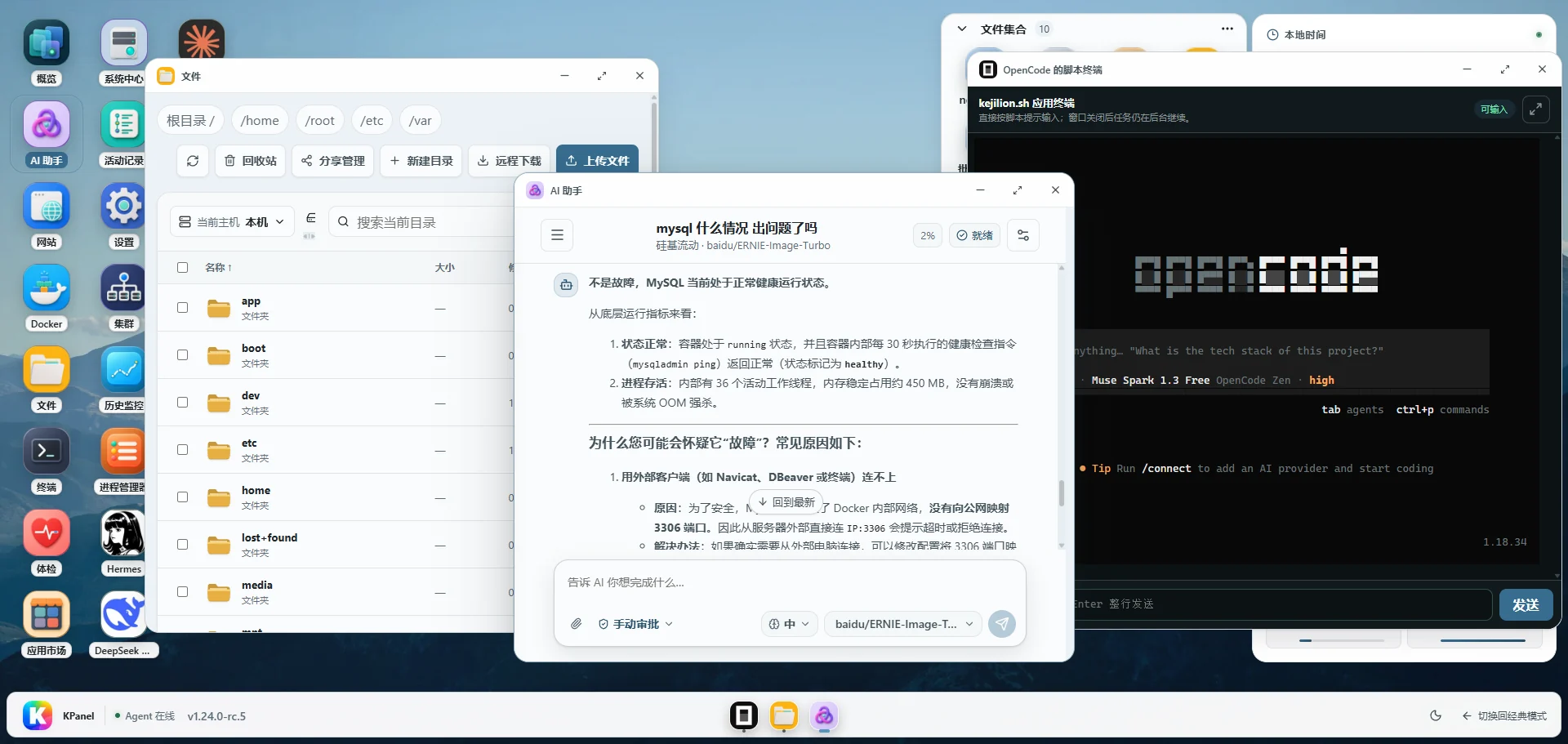
Spread complex work across windows
Drag, minimize, maximize, and use a real taskbar. Monitoring, clusters, terminals, and AI can stay open together while you investigate.
KPanel / Built for real Linux hosts
Desktop and Classic modes share one control plane. System, websites, Docker, files, clusters, and an AI assistant work against the same real host state—with two-way interoperability with kejilion.sh.
KPanel 1.26.0Demo credentials prefilled · All data is simulated
01 / TWO MODES
Keep the directness of a classic panel or open a desktop-style multitasking workspace. You are choosing an interface—not a separate system.
Same account · Same Agent · Same host state · No resource migrationDesktop mode
Drag, minimize, maximize, and use a real taskbar. Monitoring, clusters, terminals, and AI can stay open together while you investigate.
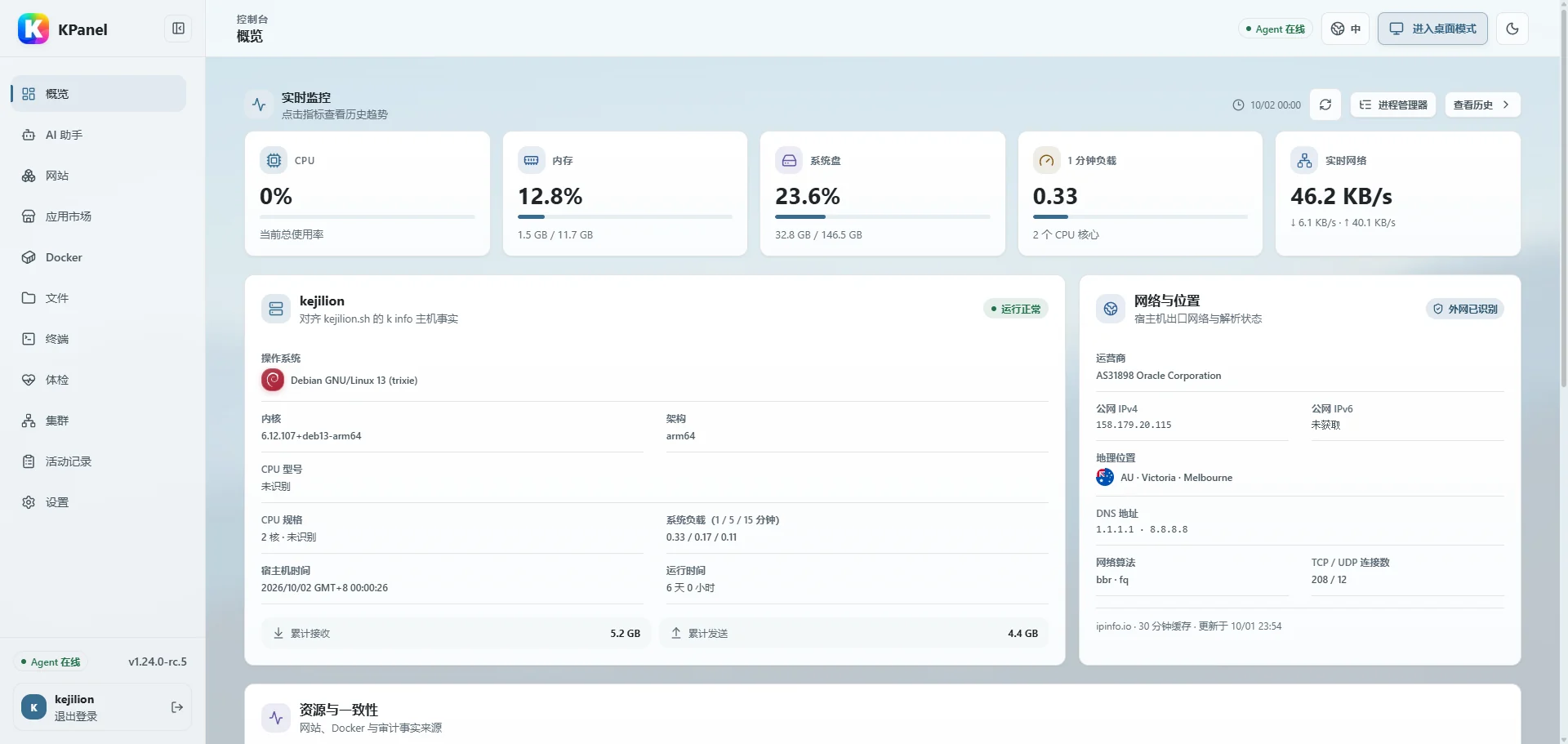
Classic mode
A familiar sidebar, clear sections, and dense information make routine checks and consecutive configuration fast.
02 / OPERATIONS WORKSPACE
The lightweight assistant understands host and container state already available to KPanel. It uses bounded tools for queries, analysis, and proposals—without making you assemble a separate agent platform.
Human approval by defaultChoose your modelUse OpenAI-compatible, Anthropic, and Gemini providers with independent sessions.
Fixed tool boundariesNormal actions use structured arguments. Writes require approval; high-risk actions always require it.
Proposals, not privilegeMemory and workflow changes are proposed by AI and approved by the administrator.
03 / CONNECT YOUR FLEET
Bring KPanel and lightweight Linux nodes into one workspace. Check status and history, manage files and terminals, receive alerts, and share a public view of your fleet.
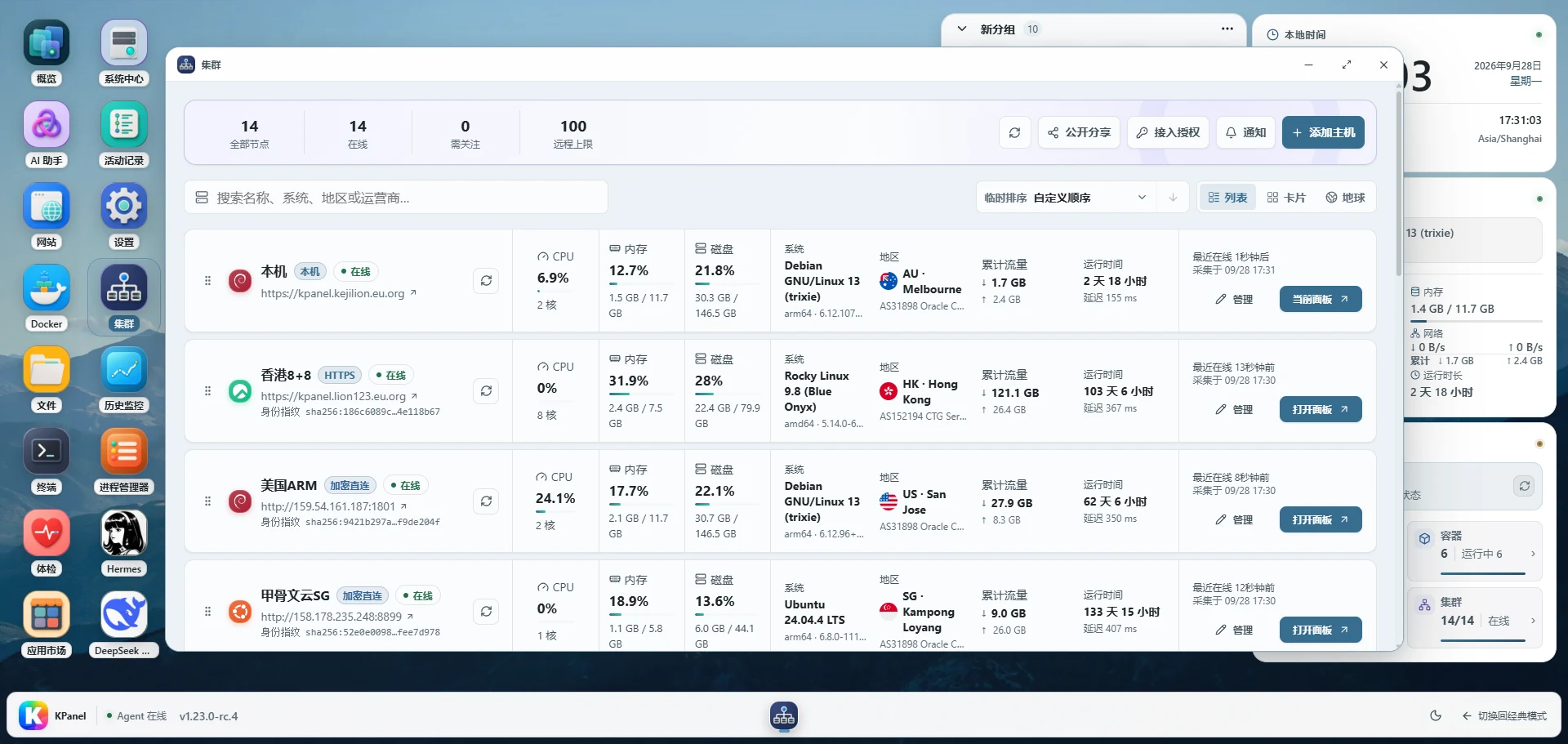
Pair existing KPanel installations with an access code, or install a lightweight node on a Linux host. View online status, CPU, memory, disk, network, and uptime together.
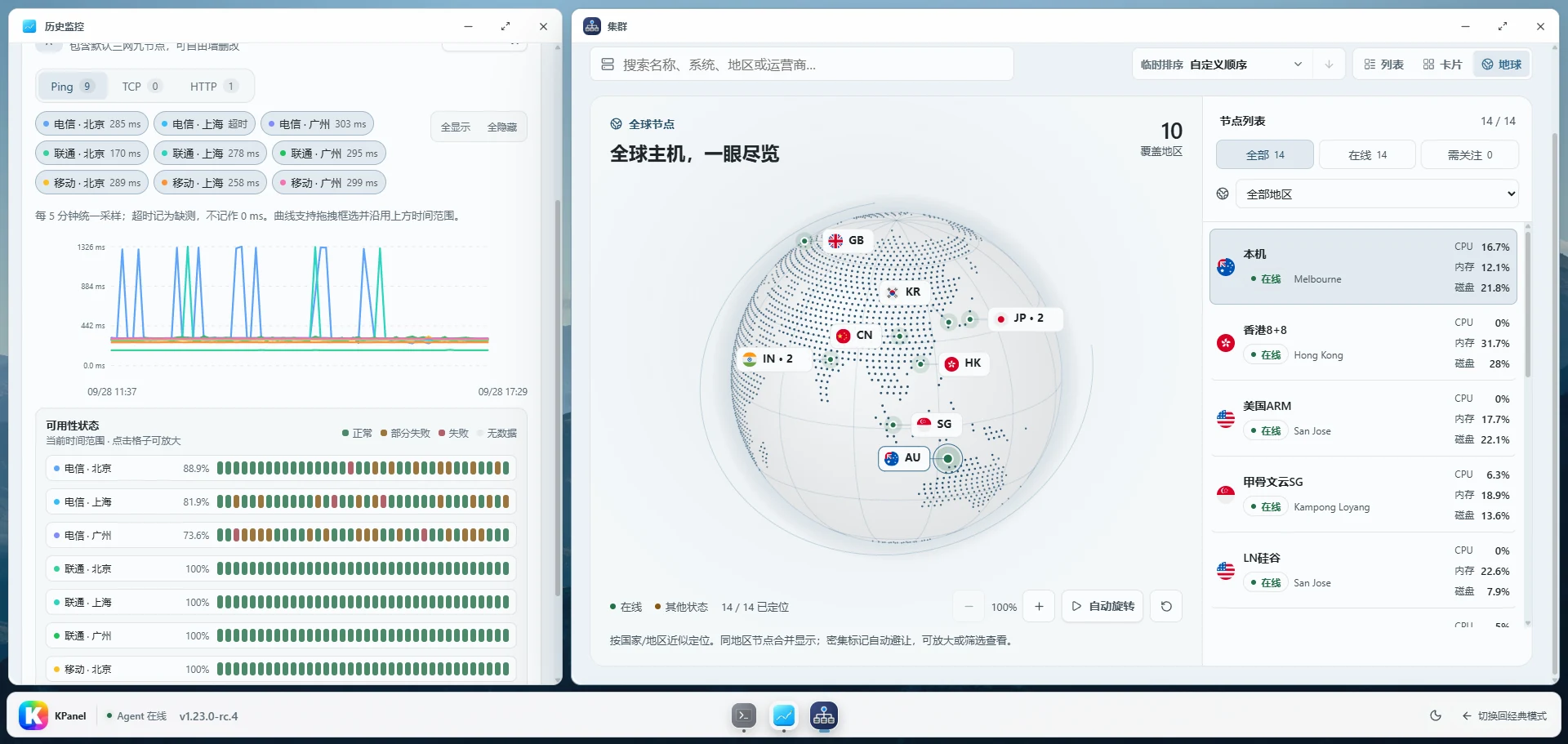
Switch between list, card, and globe views to see node locations and current status. Select a host to review historical metrics, route latency, and service checks.
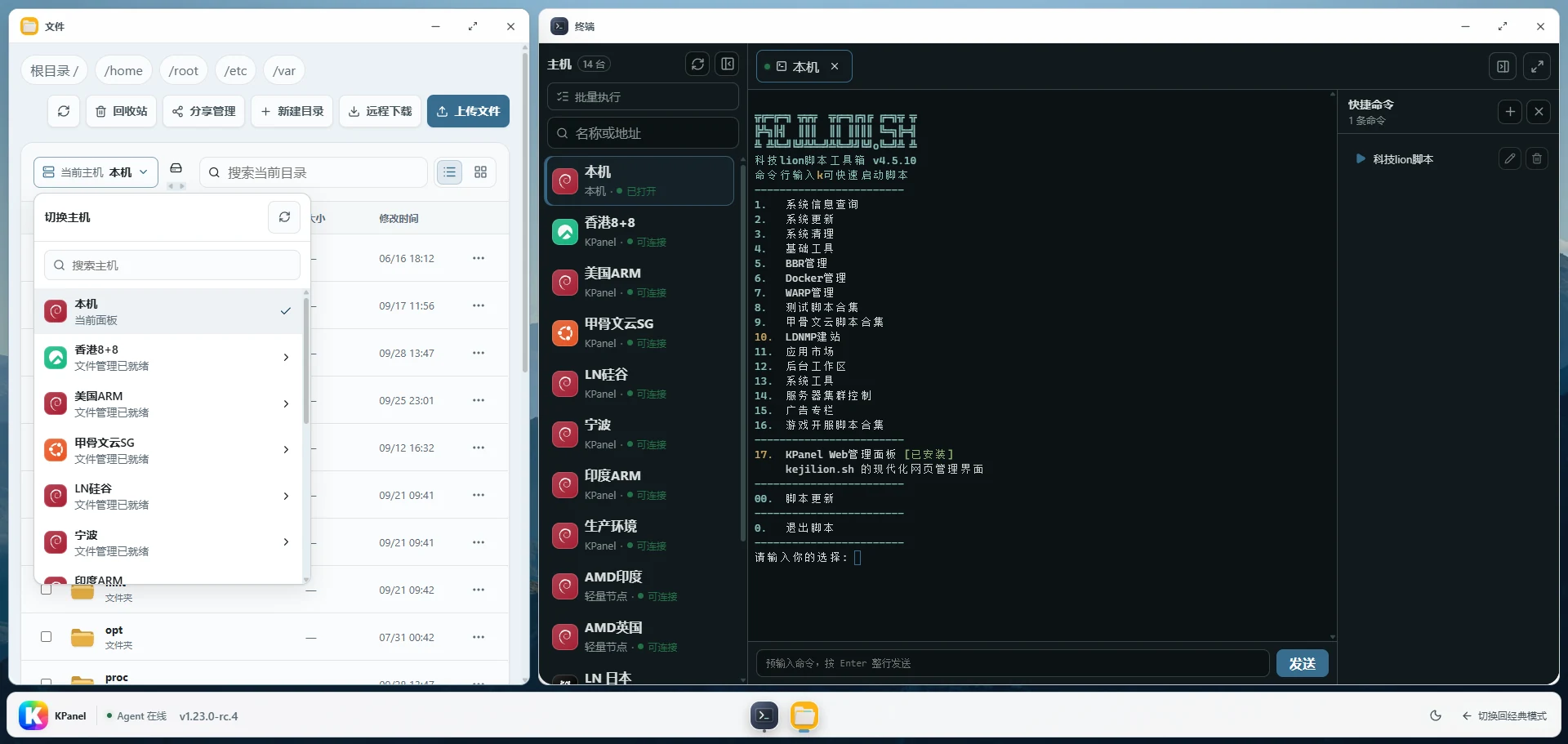
Browse, edit, upload, and download files on a selected host. Manage terminal sessions with quick commands or batch execution. Authorized KPanel peers can also copy files and directories between panels.
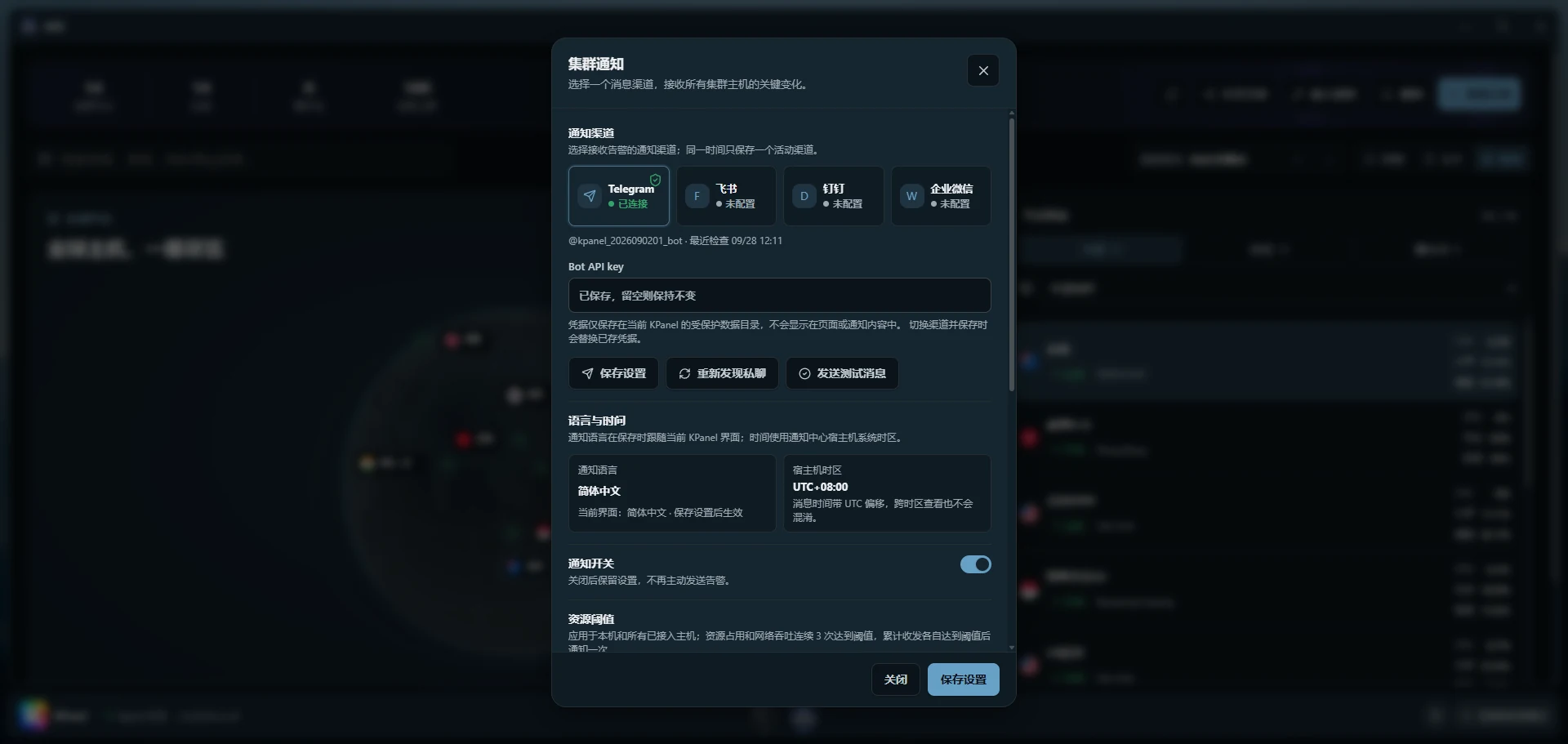
Receive rule-based alerts for resource usage, traffic, offline hosts and recovery, and SSH logins. Choose Telegram, Feishu, DingTalk, or WeCom, with one active channel at a time.
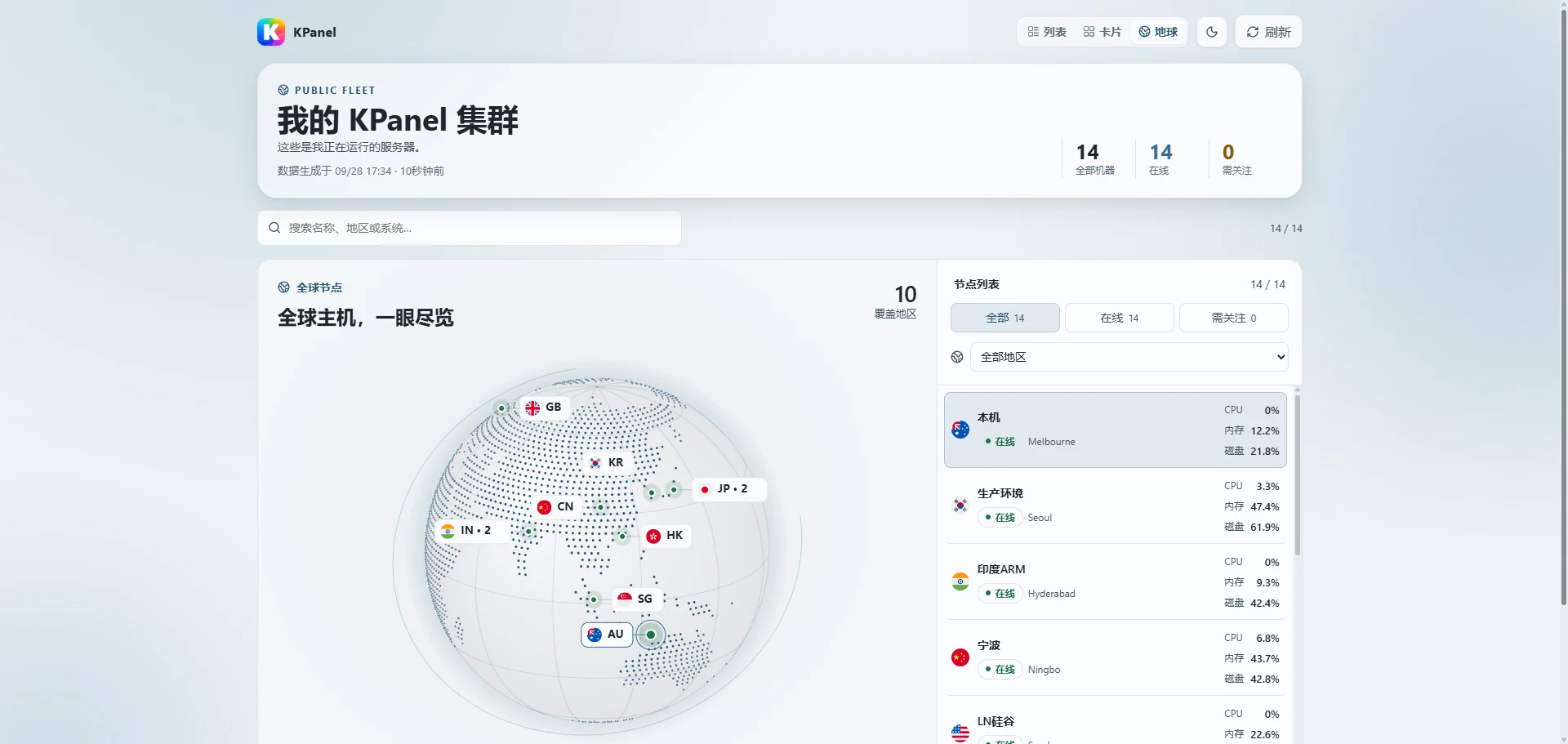
Enable a public read-only link with list, card, and globe views. IP addresses and management entry points stay private. Disable sharing or reset the link at any time.
Already running KPanelPair your existing panel using an access code.
Other Linux hostsInstall a lightweight node without a full panel, individually or through batch enrollment.
Terminal and file access depend on node version, capabilities, and authorization. Screenshots include preview builds; features vary by installed version.
04 / BUILT FOR OPERATIONS
Start with one host and connect more when needed. Every surface is organized around real resources, explicit state, and traceable actions.
Inspect CPU, memory, disk, network, connections, and container history, with 30-day raw and up to 12-month hourly retention.
Connect KPanel and lightweight Linux nodes for monitoring, with remote files and terminals based on node capabilities and authorization.
Multiple providers, models, and sessions. Ask against panel state and act through reviewable structured tools.
Manage domains, certificates, reverse proxies, and site state while recognizing configuration that already exists on the host.
Move continuously from containers to files, processes, terminal sessions, and system settings.
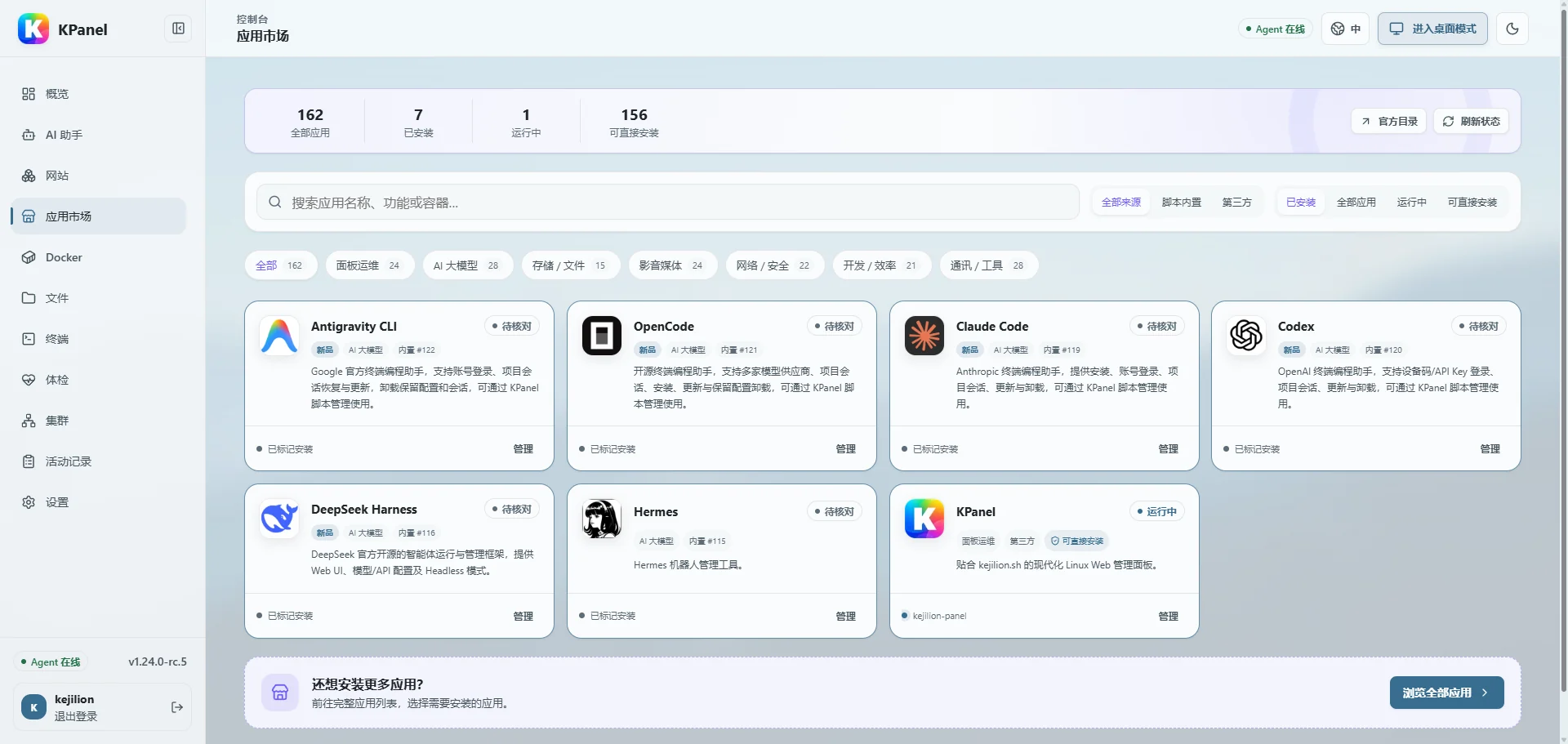
Discover kejilion.sh and third-party apps, then use system diagnostics to find common configuration and network issues.
05 / REAL HOST, CLEAR BOUNDARIES
KPanel does not lock resources inside a private abstraction. Scripts, SSH, Compose, and panel-created resources remain mutually visible, while privileged capabilities are separately authorized, time-bounded, and audited.
Web/API runs unprivileged and normal work goes through a structured Agent. Host terminal access is a separately authorized, lifecycle-bounded root PTY.
Login rate limits, CSRF protection, session controls, and optional TOTP protect the administration surface.
Critical actions leave audit records, while resource configuration uses versions for comparison and rollback.
06 / MAKE IT YOURS
From a neon skyline to an orbital station, bring your wallpaper, accent colors, and workspace together. Your familiar server, with a look that feels like you.
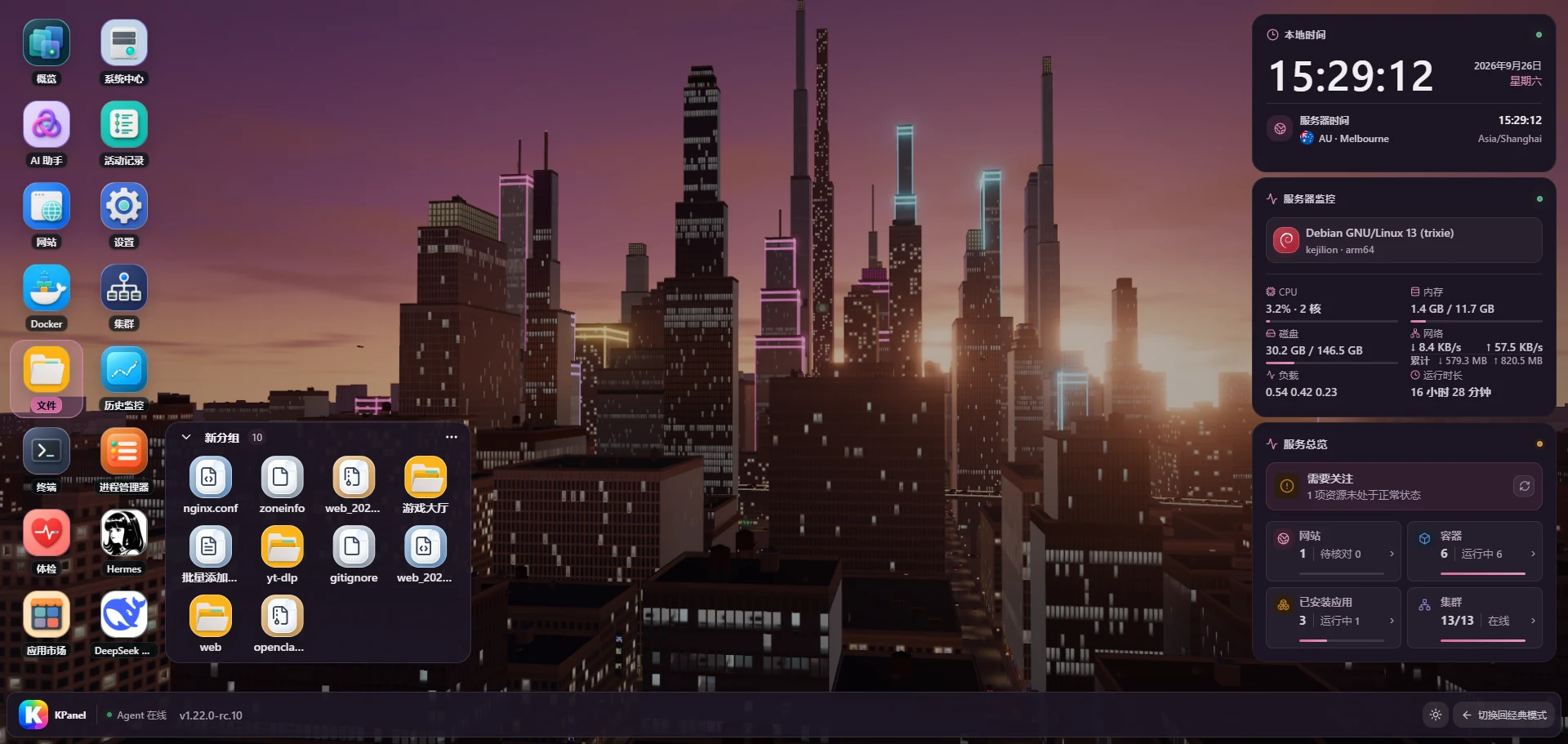
A sunset skyline fills the desktop, with rose accents across windows and widgets.
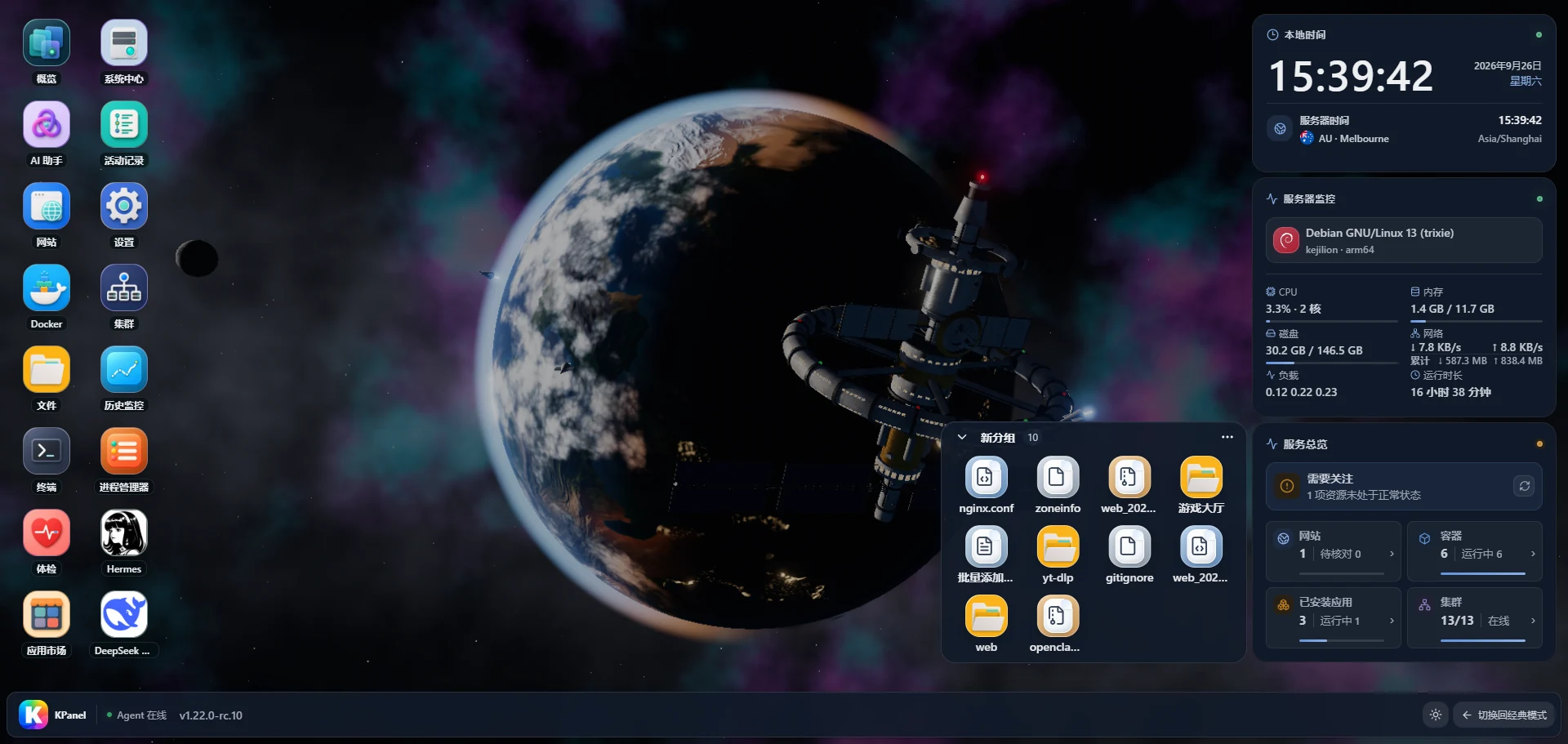
A workspace among the stars, with Earth, an orbital station, and your host status in view.
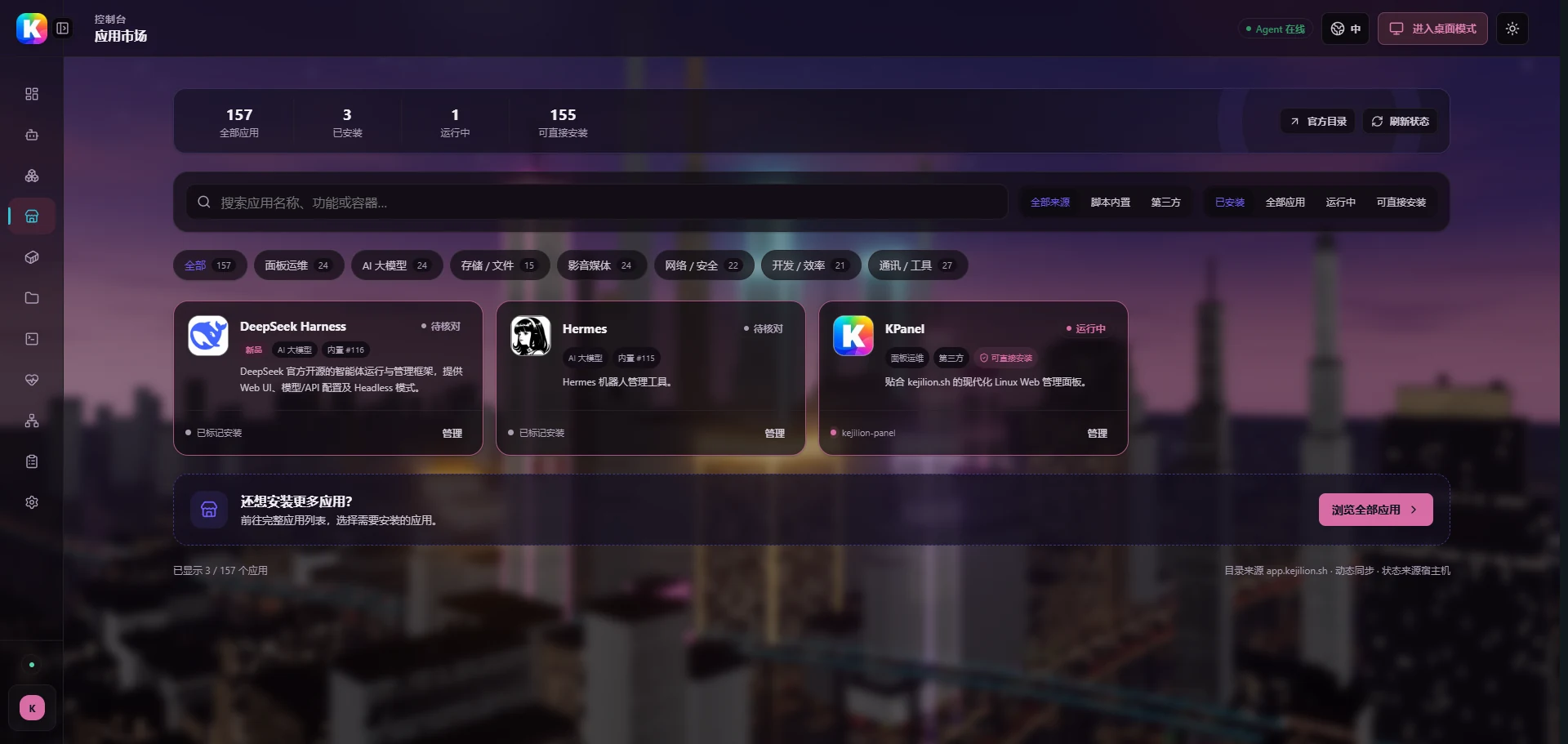
The skyline shines through translucent surfaces, with matching accents on navigation, buttons, and app cards.
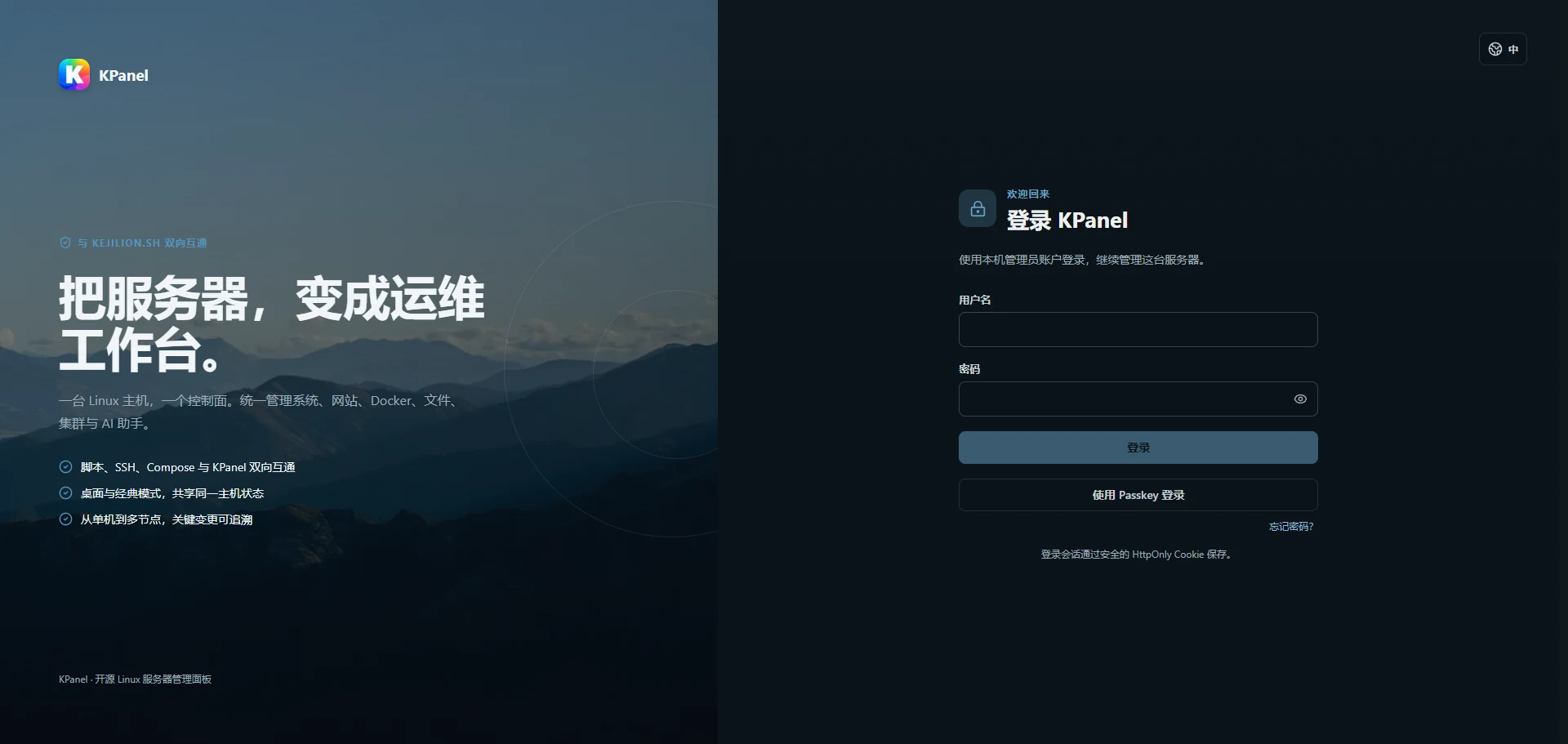
Mountain scenery and blue accents welcome you from the very first screen.
Switch wallpaper and accents together for a consistent look across Desktop, Classic, and sign-in.
Choose a built-in wallpaper or upload a favorite picture to make your workspace feel familiar.
Download scenes like Neon City and Orbital Station on demand for a different view of daily operations.
Product screenshots include preview builds. Available features depend on your installed version.
07 / DEPLOY
KPanel is designed for a single-administrator server. The installer validates the environment and prepares dependencies; review the platform matrix and security guidance before production use.
Other Debian, Ubuntu, RHEL, Arch, and openSUSE paths are implemented but admitted progressively through the support matrix. Alpine / OpenRC is not a formal install target.
bash <(curl -sL kejilion.sh) app kpanelRun as root. Review the repository and platform support matrix before installing.
Back up existing configuration first, then protect the management endpoint with HTTPS and access controls.
OPEN SOURCE / AGPL-3.0-only
Enter through the familiar Classic panel or unfold a complete workspace in Desktop mode. Both always point to the same real host.